Introduction
Losing a drone is one of the most frustrating experiences a drone owner can face. One moment, your aircraft is capturing beautiful aerial footage; the next, it is drifting away, falling from the sky or disappearing beyond your line of sight.
Whether you own a starter drone for personal use or a professional DJI drone for photography, surveying or commercial operations, understanding what can cause a drone to crash or go missing is essential.
Some incidents happen because of technical faults. Others result from weather, environmental hazards or simple mistakes.
Here are 10 common causes of drone loss every pilot should understand.
1. Birds Attacking Your Drone
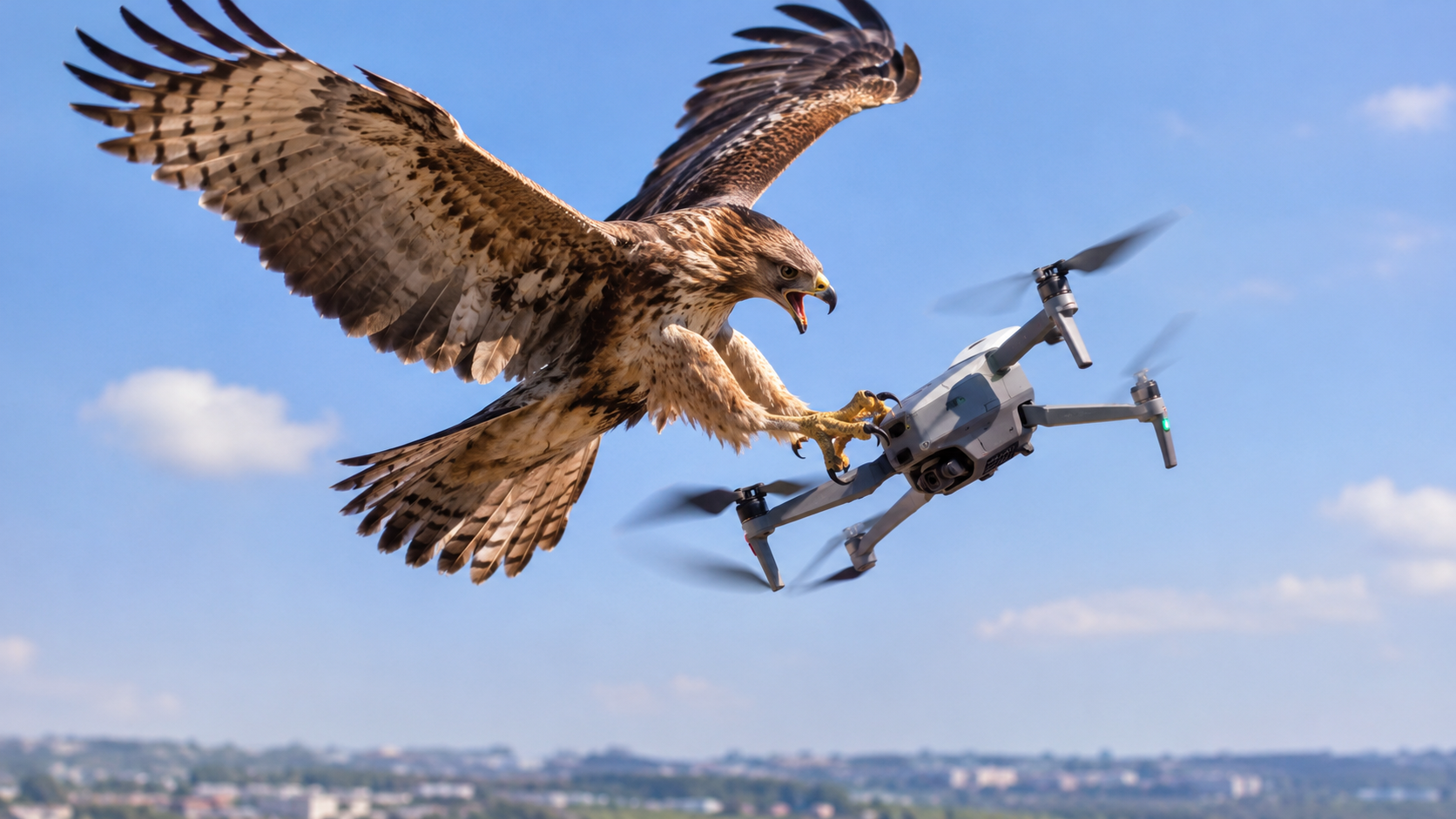
Birds can be a serious hazard to drones, particularly around nesting sites and areas where large birds of prey are present.
Some birds may view a drone as a threat and attempt to chase, strike or attack it. A collision can damage the propellers, destabilise the aircraft or cause it to fall.
Even if the drone survives an encounter, it may become difficult to control or recover if it flies away or crashes into vegetation.
How to reduce the risk:
Avoid flying close to nests and areas where birds are displaying aggressive behaviour.
Pay attention to birds approaching or repeatedly following your drone.
If birds become aggressive, prioritise a safe exit from the area and land when it is safe to do so.
Avoid disturbing wildlife, especially during nesting periods.
2. Broken or Damaged Propellers
Propellers are among the most important components of a drone. They generate the thrust needed to keep the aircraft airborne and maintain stable flight.
A cracked, chipped, bent or incorrectly installed propeller can cause vibration, reduce flight stability and affect the drone's ability to respond correctly.
In severe cases, a propeller may fail during flight, causing the aircraft to lose control and crash.
Propeller damage is not always obvious. A small crack or damaged edge may be enough to make a propeller unsafe.
How to reduce the risk:
Inspect every propeller before flying.
Replace cracked, chipped, bent or otherwise damaged propellers.
Ensure propellers are installed correctly according to the manufacturer's instructions.
Use compatible replacement propellers.
Avoid continuing a flight if you notice unusual vibration or a propeller-related warning.
Never assume a propeller is safe simply because the drone still takes off.
3. Battery Failure or Unexpected Power Loss
A drone depends on its battery for power. If the battery becomes depleted, fails or cannot supply sufficient power, the aircraft may be forced to land or lose its ability to remain airborne.
One common mistake is relying entirely on the estimated remaining flight time displayed by the controller. Actual flight time can vary with wind, temperature, battery condition, payload and flying style.
An ageing or damaged battery may also behave unpredictably.
How to reduce the risk:
Check the battery condition before every flight.
Start with a sufficiently charged battery.
Monitor battery warnings throughout the flight.
Allow enough reserve to return and land safely.
Avoid using swollen, damaged or unusually hot batteries.
Follow the manufacturer's charging, storage and temperature guidelines.
Remember: the goal is not to use every minute of battery life. It is to bring your drone home safely.
4. Losing the Controller Signal
Most camera drones rely on a radio connection between the aircraft and its controller. If this connection is interrupted, the pilot may temporarily lose control.
Signal loss can happen because of obstacles, interference, excessive distance or unsuitable flying locations.
Buildings, terrain and dense vegetation can obstruct the connection. Flying behind a large structure or beyond the aircraft's reliable operating range may also cause problems.
Many drones have a Return-to-Home function, but its behaviour depends on the model, settings, satellite positioning and operating conditions. It should never be treated as a guarantee of recovery.
How to reduce the risk:
Maintain a reliable connection and keep the aircraft within the permitted operating limits.
Avoid unnecessary distance and obstacles between the controller and drone.
Understand your drone's signal-loss behaviour before flying.
Set an appropriate Return-to-Home altitude where the feature is available.
Monitor signal warnings and return while the connection is still reliable.
Do not assume that every drone will automatically return safely after losing its signal.
5. Strong Winds and Sudden Weather Changes
A drone that flies smoothly in calm weather may struggle when wind conditions change.
Strong winds can push an aircraft away from its intended route, increase battery consumption and make returning to the take-off point difficult. Gusts can also destabilise the drone, particularly near buildings, cliffs and other structures.
Rain, thunderstorms, lightning and severe weather introduce additional hazards. Even a drone advertised as water-resistant should not automatically be considered safe to fly in rain.
How to reduce the risk:
Check weather conditions before take-off.
Understand the wind limitations of your particular drone.
Pay attention to wind warnings and the aircraft's ability to make progress against the wind.
Avoid flying when thunderstorms or severe weather threaten the area.
Return early if conditions begin to deteriorate.
A drone's ability to fly in strong wind varies by model. Never assume that a more expensive drone is immune to weather-related problems.
6. Flying Too Far Away or Losing Visual Contact
Distance can make a drone difficult to monitor, even when the controller still displays a live camera feed.
At long distances, it may become harder to judge the aircraft's direction, identify obstacles or recognise changes in its surroundings. Haze, poor lighting and a cluttered background can make the drone difficult to see.
If the aircraft travels behind a building, trees or terrain, the pilot may lose visual contact and struggle to determine its location.
How to reduce the risk:
Keep the drone within visual line of sight when required by applicable rules and operating conditions.
Learn to recognise the aircraft's orientation.
Avoid unnecessary long-distance flights.
Do not rely solely on the live video feed to judge the aircraft's surroundings.
Plan your flight route before take-off.
A strong camera connection does not mean you can safely fly without knowing where your drone is.
7. Flying Near Trees, Buildings and Power Lines
Obstacles are a major cause of drone crashes. A drone may collide with tree branches, rooftops, poles, wires or other objects that are difficult to see from the camera view.
Power lines are especially dangerous because they can be thin and difficult to distinguish against the background.
Automatic obstacle avoidance can help on supported drones, but its effectiveness varies. Some sensors have blind spots or may struggle with thin wires, branches, reflective surfaces and low-light conditions.
How to reduce the risk:
Inspect the flight area before take-off.
Maintain a safe distance from buildings, trees and other obstacles.
Never assume obstacle sensors can detect everything.
Avoid flying close to power lines.
Use a spotter where appropriate and permitted.
When flying in an unfamiliar location, a clear route and a safe landing area can make a significant difference.
8. Flying With Incorrect Settings or Poor Preparation
Not every drone loss is caused by broken hardware. Incorrect settings or inadequate preparation can also contribute to an accident.
Depending on the model, examples include an unsuitable Return-to-Home altitude, incomplete compass or positioning checks, an incorrect home point, or taking off before the aircraft has established reliable positioning.
A Return-to-Home feature cannot make good decisions if its underlying settings or positioning information are unsuitable for the environment.
How to reduce the risk:
Read your drone's operating manual.
Complete the manufacturer's recommended pre-flight checks.
Confirm the home point and positioning status before departure.
Review Return-to-Home settings and understand how they work.
Investigate warnings instead of dismissing them.
A few minutes of preparation can prevent an avoidable loss.
9. Software Errors, Sensor Problems and Mechanical Faults
Modern drones use software, sensors, motors and electronic systems to maintain stable flight.
A malfunction involving a motor, positioning sensor, compass, flight controller or other component can affect the aircraft's behaviour.
Some problems produce warnings before becoming serious, while others may appear unexpectedly. Firmware updates can also change settings or introduce compatibility issues if handled incorrectly.
How to reduce the risk:
Check for visible damage after every hard landing or collision.
Investigate persistent error messages.
Follow the manufacturer's firmware and maintenance instructions.
Use compatible batteries, propellers and accessories.
Seek qualified service when a fault cannot be safely diagnosed.
If your drone repeatedly behaves abnormally, do not keep flying it in the hope that the problem will disappear.
10. Poor Take-Off and Landing Decisions
A drone can be lost before it reaches the intended flight area or during the final moments of a flight.
Taking off from loose sand, tall grass, uneven ground or a dusty surface can introduce hazards. Landing near people, moving vehicles, water or obstacles can also increase the chance of damage.
A rushed landing may be especially risky when the battery is low or the wind is strong.
How to reduce the risk:
Choose a stable, clear take-off and landing area.
Keep people and animals away from the immediate operating area.
Avoid surfaces that could interfere with the propellers or sensors.
Identify an alternative landing location before flying.
Return with enough battery reserve to handle a safe landing.
A successful flight is not complete until the drone has landed safely.
Bonus: What Happens If Your Drone Flies Away?
If your drone disappears or loses connection, remain calm and follow the manufacturer's recovery procedures.
Depending on the circumstances, useful steps may include:
Check the controller for the last known position and flight information.
Review the aircraft's recorded flight log if one is available.
Check the drone's connection status and Return-to-Home behaviour.
Move to a safe location with a clear view of the surrounding area, where appropriate.
Search only in places you can access safely and lawfully.
Contact the manufacturer or an authorised service provider if technical assistance is needed.
Do not assume that the last recorded GPS position is the drone's exact current location. Wind, signal loss and other events may have changed its position after the last update.
If a drone has crashed near power lines, in dangerous terrain or in another hazardous location, do not put yourself at risk trying to retrieve it.
A Simple Pre-Flight Checklist to Protect Your Drone
Before every flight, take a moment to check the following:
Propellers: No cracks, chips or loose fittings.
Battery: Healthy, sufficiently charged and properly secured.
Weather: Conditions are within the drone's operating limits.
Signal: Controller connection is reliable.
Positioning: The drone has established the required positioning status.
Home point: Correctly recorded where applicable.
Return-to-Home: Settings are suitable for the location and understood.
Flight area: Clear of hazardous obstacles and unsuitable activity.
Landing area: A safe place is available for landing.
Local rules: The planned flight is permitted and appropriate.
The exact checks required depend on the drone model, so always follow the manufacturer's instructions.
Final Thoughts
Losing a drone can be expensive, disappointing and sometimes dangerous. Birds, damaged propellers, battery problems, signal loss, strong winds, obstacles and mechanical faults are all hazards that drone owners should understand.
No checklist can eliminate every risk, but proper maintenance, careful planning and responsible flying can reduce the chances of losing an aircraft.
Whether you own a starter drone or a professional aerial platform, take time to understand its limitations before every flight.
At REVID, we believe that choosing the right drone is only part of the experience. Understanding how to care for it and protect your investment matters just as much.
Looking for a drone that suits your needs? Explore the drone range at REVID and choose equipment that matches your experience, intended use and operating requirements.
Visit REVID at https://www.revid.ng/products to explore available drones.
Frequently Asked Questions
Can birds really make you lose a drone?
Yes. A bird may collide with or attack a drone, potentially damaging its propellers or causing a crash. Avoid disturbing wildlife and leave the area if birds behave aggressively.
Can a drone fall because of a broken propeller?
Yes. A damaged or failed propeller can affect lift and stability, potentially causing a crash. Inspect propellers before flying and replace damaged ones.
Will my drone automatically return if it loses signal?
Not always. Many drones have a Return-to-Home function, but its behaviour depends on the model, settings, positioning and circumstances. Understand and test the feature according to the manufacturer's instructions before relying on it.
Does a low battery always make a drone crash?
No. Many drones provide battery warnings and may initiate an automatic landing or return procedure. However, battery condition, wind, distance and other factors can affect whether the aircraft returns safely.
What is the best way to prevent losing a drone?
Perform pre-flight checks, inspect the propellers and battery, monitor weather and signal conditions, understand the drone's safety features, and plan a safe return and landing.
Can obstacle avoidance prevent every crash?
No. Obstacle avoidance has limitations and may fail to detect thin wires, branches or certain surfaces. Pilots must continue to monitor the flight environment and maintain safe separation from obstacles.
UAV Insights8 min read
What Can Make You Lose Your Drone? 10 Common Causes Every Pilot Should Know
Bird attacks, damaged propellers, battery failure, signal loss and bad weather can turn an ordinary flight into a lost drone. Discover 10 common causes of drone loss and how to reduce the risk of losing your aircraft.
Revid•
Keep Reading
More from UAV Insights
UAV Insights
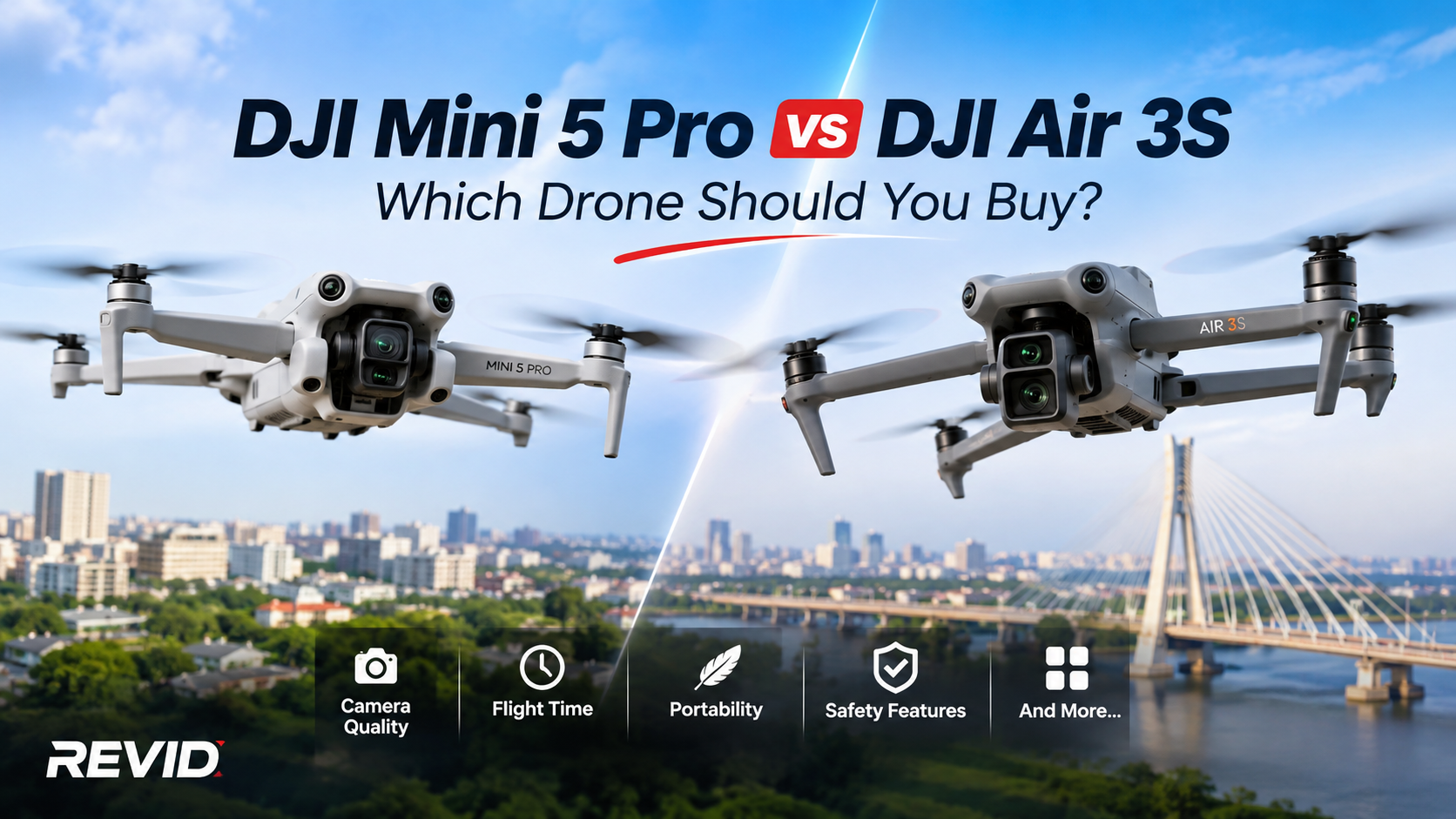
DJI Mini 5 Pro vs DJI Air 3S: Which Drone Should You Buy?
Choosing between the DJI Mini 5 Pro and DJI Air 3S? We compare their cameras, flight performance, obstacle avoidance, battery life, portability and features to help you decide which drone offers the best value for your photography, videography and professional aerial operations.
Read Article →
UAV Insights
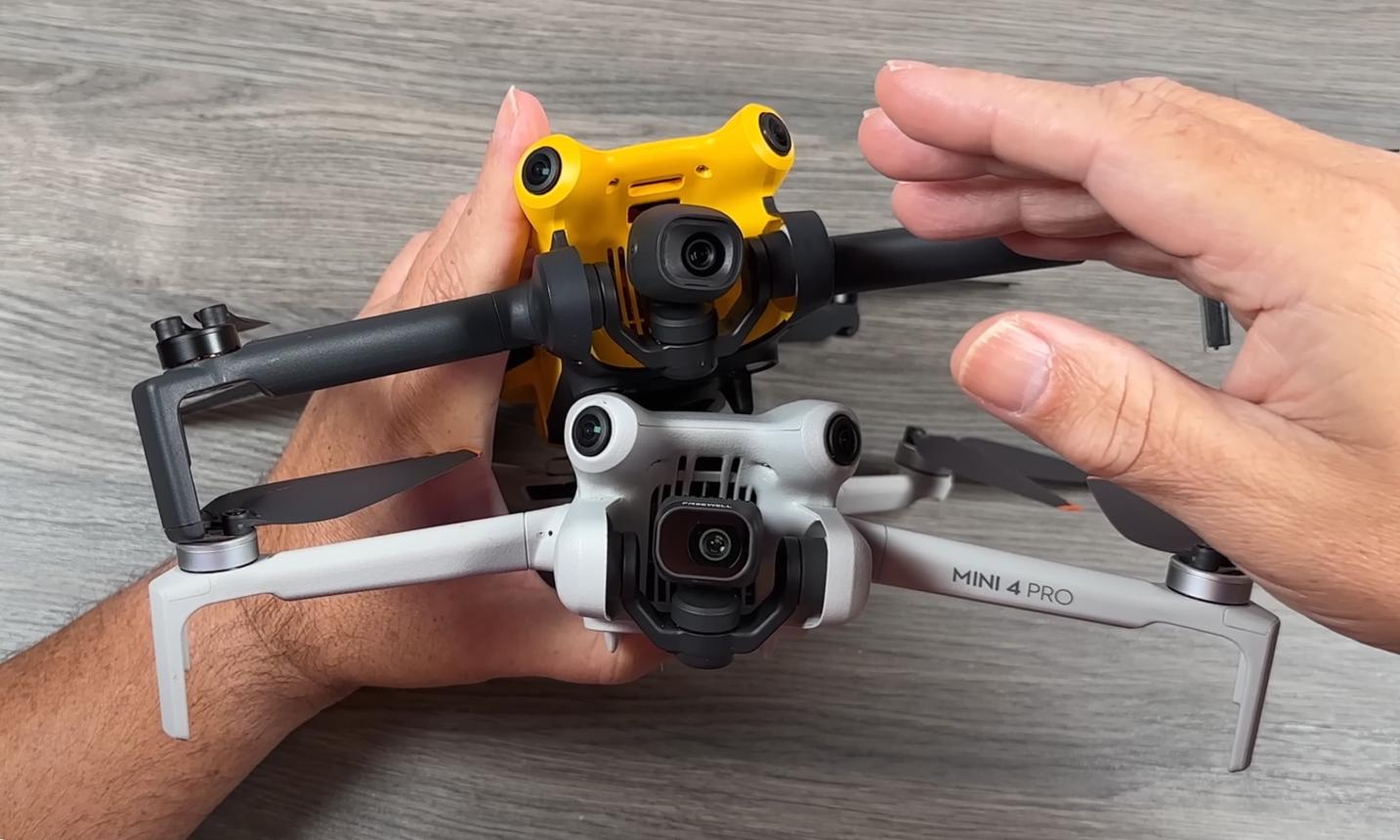
Is Skyrover Owned by DJI? Uncovering the Truth Behind the Similarities
Skyrover drones look remarkably similar to DJI's Mini series, raising questions about their origins and ownership. Discover what is known about Skyrover's founders, its similarities with DJI, and whether the two companies are actually connected.
Read Article →